
News · 2026-09-25
Playwright CLI: Token-efficient browser control for coding agents
Microsoft's Playwright CLI gives coding agents shell-based browser automation using concise commands, accessibility refs, persistent sessions, and installable skills — reducing browser-related context overhead compared with MCP-based control.
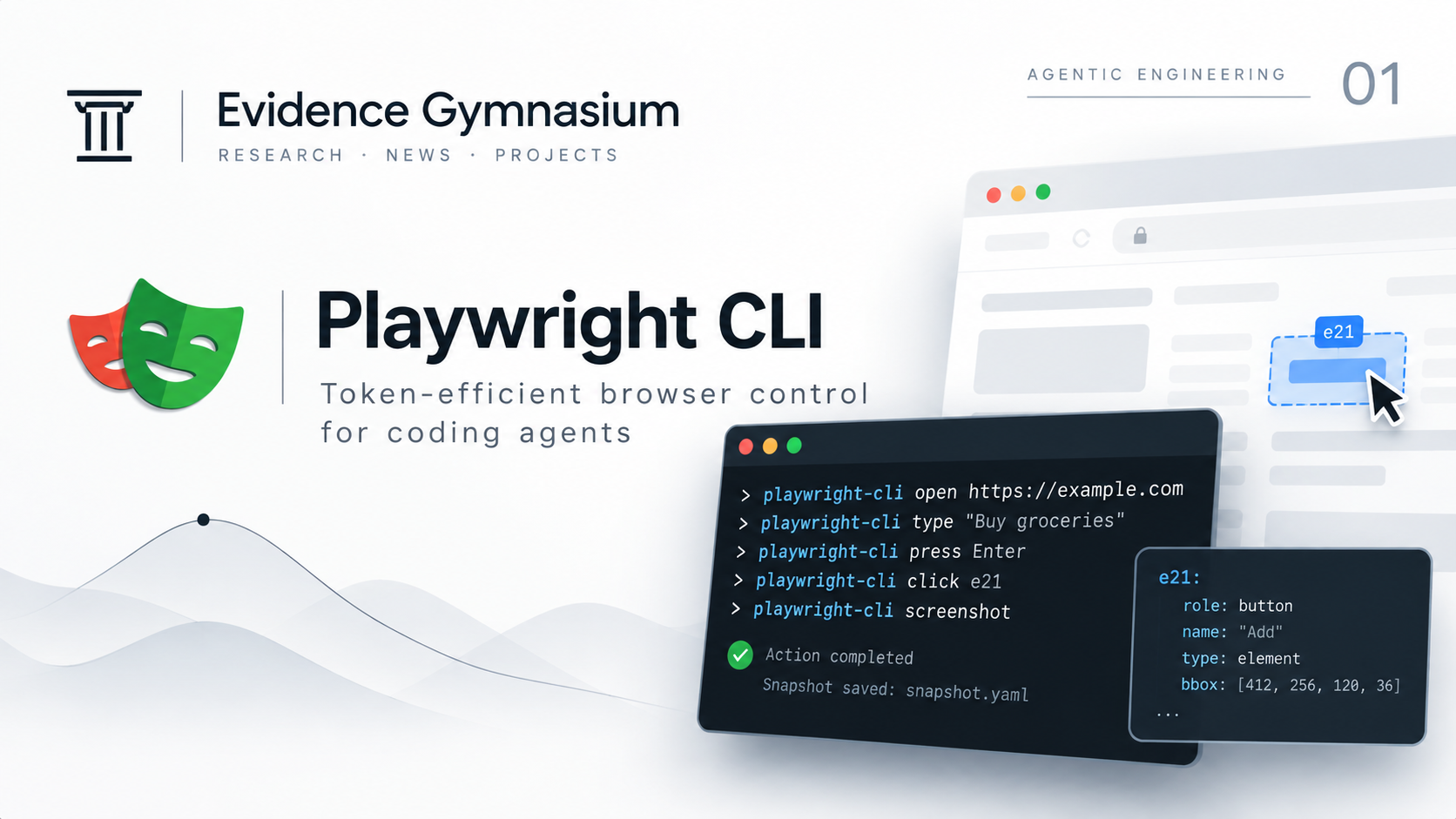
What it is
Playwright CLI (@playwright/cli) is a command-line interface for browser automation designed for coding agents.
Rather than requiring an agent to interact with the browser through a large collection of protocol tools, Playwright CLI exposes browser operations through familiar shell commands.
A typical interaction can look like this:
playwright-cli open https://demo.playwright.dev/todomvc --headed
playwright-cli type "Buy groceries"
playwright-cli press Enter
playwright-cli check e21
playwright-cli screenshot
After interacting with a page, Playwright can generate YAML accessibility snapshots describing its current state.
Interactive elements receive references such as e15 or e21. Those references can then be reused by the agent:
playwright-cli click e15
playwright-cli fill e21 "example"
This creates a compact browser-control loop: Inspect → Reference → Act → Verify.
For a coding agent already operating through a terminal, browser automation therefore becomes another command-line capability alongside Git, package managers, test runners, and build tools.
Playwright CLI also supports installable skills that provide agents with instructions for using the real command surface:
playwright-cli install --skills
Without installed skills, an agent can inspect the available interface through playwright-cli --help.
Playwright also provides Playwright MCP, which exposes browser automation through the Model Context Protocol.
The two approaches solve overlapping problems, but they make different architectural trade-offs.
CLI is particularly interesting when the agent already has shell access and browser automation needs to coexist with a large amount of code and repository context.
Core technical characteristics
- Shell-based interface — The agent invokes playwright-cli like any other development command. Browser automation fits naturally into terminal-first coding-agent workflows instead of requiring a separate interaction model.
- Accessibility references — Playwright snapshots expose interactive elements through references such as e15, e21, and e37. The agent can reuse those references for actions such as playwright-cli click e15 or playwright-cli fill e21 "example".
- Lower context overhead — Microsoft positions Playwright CLI as a lower-token-cost alternative to MCP for coding-agent workflows. Short shell commands and on-demand browser state can preserve more context for code, reasoning, tests, and repository state.
- Persistent and isolated sessions — Browser state can persist across commands within a session. Named sessions can allow multiple browser instances to operate independently.
- Session monitoring — playwright-cli show provides a visual surface for inspecting active browser sessions, helping human operators observe what an agent is doing.
- Cross-browser execution — Playwright's browser infrastructure supports Chromium-based browsers, Firefox, and WebKit.
- Agent skills — Playwright CLI can install agent-readable skills describing commands and common workflows, reducing invented commands or invalid flags.
- Existing-browser attachment — Playwright CLI can connect to an existing browser through its browser-extension workflow, which changes the amount of user state and credentials exposed to the agent.
Why it matters
Coding agents operate under a finite context budget.
That context may already contain source code, repository instructions, architectural decisions, diffs, test failures, tool outputs, previous reasoning, and task state.
Browser automation competes for the same resource.
If browser integration continuously introduces large schemas or verbose representations of page state, less context remains available for the actual software-engineering problem.
Playwright CLI approaches this constraint by moving browser interaction into an abstraction coding agents already understand: the command line.
The agent can inspect the current state, identify an element, perform an action, and verify what changed.
That fits naturally into a broader agent-engineering pattern: Plan → Execute → Verify.
The important idea is not that CLI is inherently better than MCP. It is that browser control itself has a context cost, and that cost should be treated as an architectural consideration when designing agent systems.
For a coding agent already working inside a terminal and repository, a concise CLI interface can therefore be an attractive way to add browser capabilities without unnecessarily expanding the active tool surface.
Limitations and open questions
Shell access is required. Playwright CLI assumes that the agent can execute terminal commands. Agent sandboxes that prohibit shell execution cannot use the interface as intended.
Lower token cost does not guarantee better performance. Reduced context overhead is useful, but it does not automatically produce a more capable agent. Actual performance still depends on the underlying model, task, page complexity, prompts, available context, and execution loop.
Browser automation remains imperfect. Accessibility references make browser targets more explicit, but dynamic interfaces, authentication flows, changing page state, CAPTCHAs, anti-automation systems, and unexpected application behavior can still interrupt execution.
Agent planning remains non-deterministic. A deterministic reference such as e21 can identify exactly which element will receive an action, but it cannot determine whether clicking that element is the correct decision.
Skills improve tool knowledge, not correctness. Skills can teach an agent the actual Playwright CLI interface and reduce invented commands or invalid flags, but they do not make the agent's reasoning deterministic.
Session configuration changes the security model. A temporary browser session, a persistent profile, and an agent attached to an existing browser session do not expose the same level of authentication state.
CLI and MCP solve overlapping but different problems. The appropriate interface depends on the agent architecture.